Welcome to mask-designer’s documentation!
mask-designer
Collection of techniques to design mask patterns, e.g. fixed apertures for amplitude masks and perform phase retrieval for determining a phase mask under an incoherent light source.
Table of Contents
The main goal of the repository is to tackle the inverse problem of phase retrieval, i.e. mask design for SLMs. But it also allows to explore the forward problem by setting a phase mask and then simply observing the output amplitude at the target plane. Mainly though, it consists of mask design techniques that were introduced in the Neural Holography work by Prof. Gordon Wetzstein’s group at Stanford, and adapted to be compliant with the SLM of this project - the Holoeye LC 2012. Further, another section of the code does add support for cameras. Neural Holography, among other things, follows a Camera-In-The-Loop approach which involves a camera taking pictures of the resulting interference patterns at the target plane and then using this information to improve the designed mask iteratively. Finally, utility functions are provided so that masks designed by Holoeye’s (closed-source) software or Neural Holography’s code can be used interchangeably for different setups (as Holoeye and Neural Holography assume different physical setups).
Below is a schematic of how mask-designer would typically interact with
other software and hardware components.

The interactions marked with CITL are only necessary for the CITL approach. You can find animated gif-files showing those interactions in more details in the documentation.
Documentation
If you wish to learn more about the theory behind this repository, the evolution of our experimental setup, etc. please refer to the documentation hosted on readthedocs at mask-designer.
Installation
To install, simply run the following script:
./env_setup.sh
The script will:
Create a Python3 virtual environment called
mask_designer_env.Install Python dependencies in the virtual environment.
Install slm-controller in setuptools “development mode” from GitHub directly.
Install waveprop from PyPI.
This project is using those two repositories to program SLMs after the phase mask has been computed and to simulate the light propagation which is needed for different phase retrieval algorithms or propagation simulations. Note that those are still in development too.
Note
The phase SLM implemented inside the slm-controller is actually only supported
on Windows. Holoeye does only provide an SDK for this OS which is used by the controller to
interface with the SLM.
If you plan to use this code base more in depth you can install additional dependencies useful for development while the virtual environment is activated.
source mask_designer_env/bin/activate
pip install click black pytest tensorboard torch_tb_profiler sphinx-rtd-theme docutils==0.16
Optional setup for Camera-In-The-Loop
Camera-In-The-Loop (CITL) obviously requires a camera. For this project we made
use of the Thorlabs
DCC3260M camera
(which is unfortunately obsolete). If you would like to use
the same camera for the CITL technique introduced by Neural Holography, you will
have to install IDS software to control it. First, install IDS Software
Suite, simply follow
the installation instructions. Next, you need IDS
Peak which can be
found under the same link.
This is a software package containing some GUI applications to interact with the
camera but, most importantly, contains two wheel-packages that allow to install
the python API for the aforementioned camera. First, just follow the install
instructions but then make sure to pick the Custom installation option to add an
important feature. Once in this selection prompt,
check the box additionally installing Support of uEye cameras and continue.
After the installation is completed go to the installation directory. Note
that you should have activated the virtual environment created earlier from now
on (source mask_designer_env/bin/activate). Next, go to ids_peak/generic_sdk/api/binding/python/wheel and
install the appropriate wheel like so, for example:
pip install x86_64/ids_peak-1.4.1.0-cp39-cp39-win_amd64.whl
Secondly, again from the IDS installation
directory, go to ids_peak/generic_sdk/ipl/binding/python/wheel. Similar to
before, install the correct version of the wheel for your setup, for example:
pip install x86_64/ids_peak_ipl-1.3.2.7-cp39-cp39-win_amd64.whl
Now, you should be good to go to use all the features contained in this project.
Phase retrieval algorithms
Holoeye provides a GUI software called SLM Pattern
Generator
that has built-in functionality for performing phase retrieval for a given
target amplitude. One such example can be found in images/phase_mask
and its corresponding amplitude at the target plane under
images/target_amplitude.
The code is closed-source but we have reasons to believe that the phase retrieval algorithm is based on Iterative-Fourier-Transform-Algorithm (IFTA) which is very similar to Gerchberg-Saxton algorithm presented below. For more information, please refer to the documentation.
One “phase retrieval approach” featured in that repository is simply to load the results of the aforementioned software.
Further, the authors of Neural Holography provide implementations to different phase retrieval approaches. Here is a list of methods that were modified in order to be compatible with the hardware and software components as shown in the above schematic:
Gerchberg-Saxton (GS)
Stochastic Gradient Descent (SGD)
Camera-In-The-Loop (CITL)
GS and SGD are implemented inside mask_designer/neural_holography/algorithms.py
and PyTorch modules that go along with them are provided in
mask_designer/neural_holography/module.py. CITL is a special version of SGD
which replaces the interference pattern obtained previously with propagation
simulation by the captured pattern from the camera in its loss computation. Note that you do
generally not need to interact with the Neural Holography code directly. A
wrapper for it is provided at mask_designer/wrapper.py which does simply import
code from Neural Holography so that you do not need to go look for it in their
code. We’d like to remind you that
this code was released under the license provided in LICENSE and we do not
claim any credit for it. Usage examples of all
those features will be presented in the
subsequent Example scripts section.
Camera
As mentioned earlier, cameras play a crucial role in the CITL-approach. Hence, an interface for such devices is needed. For now, the project only supports one real camera, the Thorlabs DCC3260M and a dummy camera that either simply “takes” white snapshots or returns a image which was set previously. The later device can be useful during development. In the future this list is going to be extended (for example with the Raspberry Pi HQ Camera), but here is its current state.
Supported cameras:
Dummy camera (artificial, returns synthetic white or fixed images)
Experimental setup
The experimental setup is an incremental improvement of an initial setup proposed by Holoeye in the manual that came with their their LC 2012 SLM. For more information on how we converged to the setup below, please refer to documentation.

Further, the mask_designer/experimental_setup.py allows to set:
which camera and
which SLM is used.
Additionally, it contains a whole bunch of parameters like:
how long masks are shown on the SLM,
what wavelength the laser is operating at,
the propagation distance (distance form the SLM to the camera sensor),
etc.
In that script you can set the default values for those parameters which are then used in the remainder of the code base. The example scripts for instance still allow you to specify the values for those parameters via arguments but default to those values defined there.
Lens vs lensless
Holoeyes SLM Pattern Generator assumes an experimental setup that uses a convex lens in between the SLM and the target plane.
Neural Holography on the other hand, uses a different setting
where no lens is placed between the SLM and the target plane, i.e. a lensless
setting. Those differences impact the resulting phase masks of the mask design
algorithm. The methods in mask_designer/transform_fields.py allow
transforming phase mask, or more precisely fields, back and forth between both experimental
setups. Note that Neural Holography encodes
phase maps, images etc. as 4D PyTorch Tensors where the dimensions are [image,
channel, height, width]. But again, the wrapper mask_designer/wrapper.py does
provide interfacing methods for the different algorithms that handle all those
complications for you and you are not required to dig any deeper than that.
Partial coverage of the SLM with the laser beam
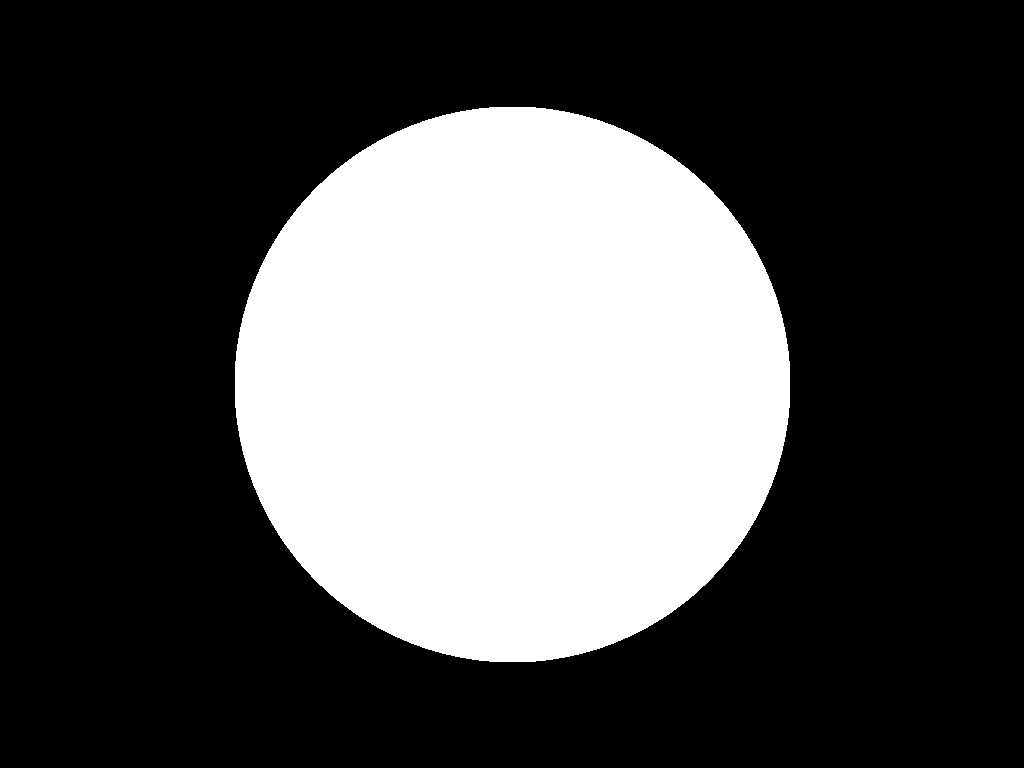
Another element which is important to account for is the portion of the SLM that
is actually hit by the laser beam. To keep the
optics simple we decided to reflect our setup with only partial,circular, coverage of the
SLM by the laser. This behavior can be changed at any point by changing the amp_mask
variable in the mask_designer/experimental_setup.py script.
For illustrative purposes, here an image of the part of the SLM that is hit by laser.
Propagation
This section will briefly discuss the propagation of a phase mask to the target plane. More precisely, propagation simulation is a crucial element in most of the mask designing algorithms. Although we cannot be absolutely certain due to the code being closed-source, we have good reason to believe that Holoeye’s SLM Pattern Generator uses Fraunhofer, as we have identified a single Fourier Transform between the SLM and target plane when playing around with their masks. Neural Holography on the other hand, uses the Angular spectrum method (ASM). Currently, we make use of the ASM implementation by Neural Holography. However we plan to replace this implementation with the waveprop library, which provides support for Fraunhofer, ASM, and other propagation techniques.
Physical propagation
Physical propagation refers to the process of physically displaying a phase map on a SLM and then observing the resulting images at the target plane. That’s where the slm-controller comes in handy to communicate with the SLMs, and the camera in order to measure the response at the target plane.
Note that slm-controller plots the phase mask whenever something goes wrong with programming it on the physical device so that you can still get an idea of the resulting phase maps.
Usage examples will be presented in the subsequent Example scripts section.
Setting common apertures
The mask_designer/aperture.py provides
an easy way to set different apertures: rectangle, square, line, and circle.
These apertures can be programmed to real SLM devices. Usage example will be
presented in the subsequent Example scripts section.
Example scripts
In examples are various example scripts that showcase the main features
of this repository.
First, activate the virtual environment:
source mask_designer_env/bin/activate
You can exit the virtual environment by running deactivate.
Lens examples
GS
This example script showcases the Gerchberg-Saxton algorithm implemented in
Neural Holography. First, the simulate results of the phase and amplitude at
both the SLM and the target plane are shown. Then, the phase mask is programmed
onto the SLM and one can observe the resulting using the camera. Note that, the
Neural Holography code is actually working in a lensless setting. After the
iterative optimization, the phase mask is transformed to the lens setting using
the appropriate method in mask_designer/transform_fields.py.
python examples/lens/run_gs.py --help
Usage: run_gs.py [OPTIONS]

Options:
  --wavelength FLOAT          The wavelength of the laser that is used in
  --roi <INTEGER INTEGER>...  The Region Of Interest used for computing the
                              loss between the target and the current
                              amplitude.  [default: 640, 880]
  --iterations INTEGER        Number of iterations to run.  [default: 500]
  --help                      Show this message and exit.
Holoeye
This example script loads a phase mask computed with Holoeye’s SLM Pattern Generator and again shows first the simulated results and then programs it onto the SLM.
python examples/lens/run_holoeye.py
SGD using CITL
The CITL aspect makes this example script by far the most challenging one. At it’s current state it isn’t even working properly.
Though the main ideas are fairly simple. First, normal SGD is used to compute a
“warm start” phase mask which works just fine. Then, the script attempts to
perform a calibration step which at the moment fails more often then not. It
consists of loading a phase mask which corresponds to a grid of dots which
should then be detected by a blob detector after applying several filters.
Knowing the real center points of those dots and the ones detected by the blob
detector distortions etc. can be corrected for. Next, the actually CITL is
carried out. Instead of using SGD with simulated results in the computation of
the loss and hence the gradients, those are computed from the actual amplitude
pattern captured using the camera. At the moment, those gradients are None
and hence no real progress is made by using the CITL at all. This is a bug which
needs fixing.
Note that inside citl/snapshots intermediate results are saved as images,
both captures and simulations. This directory is emptied at each run of the script.
python examples/lens/run_sgd_citl.py --help
Usage: run_sgd_citl.py [OPTIONS]

Options:
  --wavelength FLOAT              The wavelength of the laser that is used in
                                  meters.  [default: 5.32e-07]
  --prop_distance FLOAT           The propagation distance of the light in
                                  meters.  [default: 0.275]
  --roi <INTEGER INTEGER>...      The Region Of Interest used for computing
                                  the loss between the target and the current
                                  amplitude.  [default: 640, 880]
  --slm_show_time FLOAT           Time to show the mask on the SLM.  [default:
                                  10]
  --slm_settle_time FLOAT         Time to let the SLM to settle before taking
                                  images of the amplitude at the target plane.
                                  [default: 0.25]
  --warm_start_iterations INTEGER
                                  Number of warm start iterations (using
                                  simulation only) to run.  [default: 100]
  --citl_iterations INTEGER       Number of CITL iterations to run.  [default:
                                  10]
  --help                          Show this message and exit.
SGD using waveprop
Similar to standard SGD, but uses the waveprop library for propagation. This changes the setting from lensless to lensed throughout the entire script and hence no transformation in needed at the end.
python examples/lens/run_sgd_waveprop.py --help
Usage: run_sgd_waveprop.py [OPTIONS]

Options:
  --wavelength FLOAT          The wavelength of the laser that is used in
                              meters.  [default: 5.32e-07]
  --prop_distance FLOAT       The propagation distance of the light in meters.
                              [default: 0.275]
  --roi <INTEGER INTEGER>...  The Region Of Interest used for computing the
                              loss between the target and the current
                              amplitude.  [default: 640, 880]
  --iterations INTEGER        Number of iterations to run.  [default: 500]
  --help                      Show this message and exit.
SGD using Neural Holography’s ASM
This example script uses the ASM implementation in Neural Holography which assumes no lenses. Thus, an adequate transformation is needed after the optimization finished in order to be compatible with our physical setup.
python examples/lens/run_sgd.py --help
Usage: run_sgd.py [OPTIONS]

Options:
  --wavelength FLOAT          The wavelength of the laser that is used in
                              meters.  [default: 5.32e-07]
  --prop_distance FLOAT       The propagation distance of the light in meters.
                              [default: 0.275]
  --roi <INTEGER INTEGER>...  The Region Of Interest used for computing the
                              loss between the target and the current
                              amplitude.  [default: 640, 880]
  --iterations INTEGER        Number of iterations to run.  [default: 500]
  --help                      Show this message and exit.
Lensless examples
GS
The overall structure is the same, but the here we can use the resulting phase mask directly without applying any transformations.
python examples/lensless/run_gs.py --help
Usage: run_gs.py [OPTIONS]

Options:
  --wavelength FLOAT          The wavelength of the laser that is used in
                              meters.  [default: 5.32e-07]
  --prop_distance FLOAT       The propagation distance of the light in meters.
                              [default: 0.275]
  --roi <INTEGER INTEGER>...  The Region Of Interest used for computing the
                              loss between the target and the current
                              amplitude.  [default: 640, 880]
  --iterations INTEGER        Number of iterations to run.  [default: 500]
  --help                      Show this message and exit.
Holoeye
The only difference to the lensed version is that the resulting phase mask needs transforming to the lensless setting for it to be compatible.
python examples/lensless/run_holoeye.py --help
Usage: run_holoeye.py [OPTIONS]

Options:
  --wavelength FLOAT     The wavelength of the laser that is used in meters.
                         [default: 5.32e-07]
  --prop_distance FLOAT  The propagation distance of the light in meters.
                         [default: 0.275]
  --help                 Show this message and exit.
SGD using waveprop
Same goes for this script.
python examples/lensless/run_sgd_waveprop.py --help
Usage: run_sgd_waveprop.py [OPTIONS]

Options:
  --wavelength FLOAT          The wavelength of the laser that is used in
                              meters.  [default: 5.32e-07]
  --prop_distance FLOAT       The propagation distance of the light in meters.
                              [default: 0.275]
  --roi <INTEGER INTEGER>...  The Region Of Interest used for computing the
                              loss between the target and the current
                              amplitude.  [default: 640, 880]
  --iterations INTEGER        Number of iterations to run.  [default: 500]
  --help                      Show this message and exit.
SGD using Neural Holography’s ASM
Here on the other hand no transformation is needed.
python examples/lensless/run_sgd.py --help
Usage: run_sgd.py [OPTIONS]

Options:
  --wavelength FLOAT          The wavelength of the laser that is used in
                              meters.  [default: 5.32e-07]
  --prop_distance FLOAT       The propagation distance of the light in meters.
                              [default: 0.275]
  --roi <INTEGER INTEGER>...  The Region Of Interest used for computing the
                              loss between the target and the current
                              amplitude.  [default: 640, 880]
  --iterations INTEGER        Number of iterations to run.  [default: 500]
  --help                      Show this message and exit.
Camera example
This file illustrates how a camera, here the IDSCamera, is instantiated and
used to take a images. The resulting images are then plotted to the screen.
First the exposure time ia changed and then \(4\) images are taken in
the bunch mode.
In the second set of images the same is done, but instead the images are automatically clipped and scaled to match the SLM shape which comes in handy in the CITL approach for example.
python examples/ids_image_capture.py
Aperture examples
Setting an aperture
To set a defined aperture shape, check out the following script:
python examples/set_aperture.py --help
Usage: set_aperture.py [OPTIONS]

  Set aperture on a physical device.

Options:
  --shape [rect|square|line|circ]
                                  Shape of aperture.
  --n_cells INTEGER               Side length for 'square', length for 'line',
                                  radius for 'circ'. To set shape for 'rect',
                                  use`rect_shape`.
  --rect_shape INTEGER...         Shape for 'rect' in number of cells; `shape`
                                  must be set to 'rect'.
  --center INTEGER...             Coordinate for center.
  --vertical                      Whether line should be vertical (True) or
                                  horizontal (False).
  --device [rgb|binary|nokia|holoeye]
                                  Which device to program with aperture.
  --help                          Show this message and exit.
For example, to create a circle aperture on the monochrome device with a radius of 20 cells:
python examples/set_aperture.py --device binary --shape circ --n_cells 20
For a square aperture on the RGB device with a side length of 2 cells:
python examples/set_aperture.py --device rgb --shape square --n_cells 2
You can preview an aperture with the following script. Note that it should be run on a machine with
plotting capabilities, i.e. with matplotlib.
Plotting an aperture
python examples/plot_aperture.py --help
Usage: plot_aperture.py [OPTIONS]

  Plot SLM aperture.

Options:
  --shape [rect|square|line|circ]
                                  Shape of aperture.
  --n_cells INTEGER               Side length for 'square', length for 'line',
                                  radius for 'circ'. To set shape for 'rect',
                                  use`rect_shape`.
  --rect_shape INTEGER...         Shape for 'rect' in number of cells; `shape`
                                  must be set to 'rect'.
  --vertical                      Whether line should be vertical (True) or
                                  horizontal (False).
  --show_tick_labels              Whether or not to show cell values along
                                  axes.
  --pixel_pitch FLOAT...          Shape of cell in meters (height, width).
  --slm_shape INTEGER...          Dimension of SLM in number of cells (height,
                                  width).
  --device [rgb|binary|nokia|holoeye]
                                  Which device to program with aperture.
  --help                          Show this message and exit.
For example, to plot a square aperture on the RGB device with a side length of 2 cells:
python examples/plot_aperture.py --shape square --n_cells 2 --device rgb
Adding a new camera
In order to add support for a new camera, a few steps need to be taken. These are done to avoid hard-coded values, but rather have global variables/definitions that are accessible throughout the whole code base.
Add camera configuration in
mask_designer/hardware.py:cam_devices.Define a new class in
mask_designer/camera.pyfor interfacing with the new camera (set parameters, take images, etc.).Add to factory method
createinmask_designer/camera.pyfor a conveniently one-liner to instantiate an object of the new camera.
Issues
Here, we list all the features and script that are currently known to be buggy:
examples/lens/run_sgd_citl.py: The calibration is often failing and, hence, needs some fine tuning. Maybe how we handle th 0th order is too aggressive. Additionally, the CITL is not progressing because the gradient computed using the captured images areNonefor an unknown reason.Fix circular imports that require to import in the middle of some scripts
Support/fix more methods from wavprop in
mask_designer/simulated_prop.py.Some simulation results seem stretched in x direction compared to images.
Future work
Here, we list features and directions we want to explore in future work.
Add parameter for target amp image in example scripts.
Add support for the Raspberry Pi HQ Camera.
Add Tests.
Use own dataloader.
Clean up code structure, break ties with Neural Holography code.
Get rid of 4D data structure ([None, None, :, :] etc.).
(Fix parametric model of propagation).
(Add DPAC algo back again and fix it: https://dl.acm.org/doi/10.1145/3072959.3073624).